 By Jordan Blake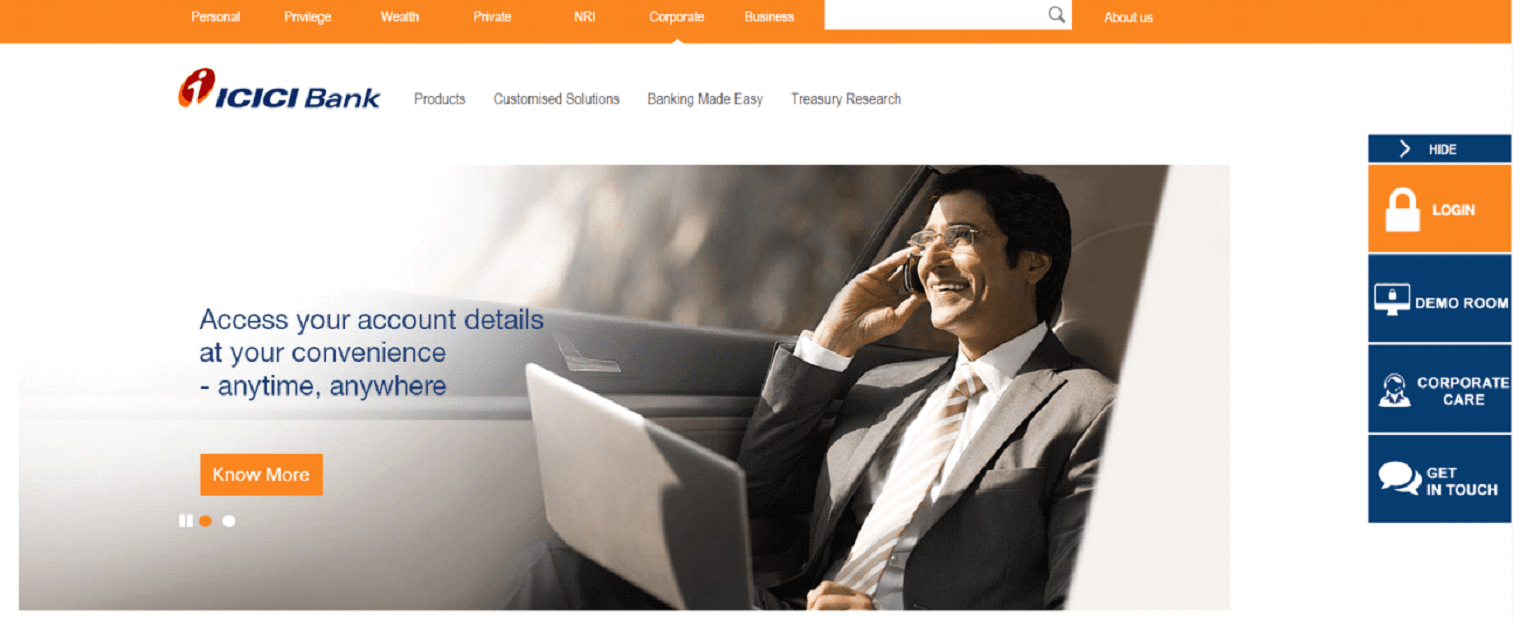
Introduction
ICICI Bank’s Corporate Internet Banking (CIB) is a powerful tool that simplifies business transactions, providing users with a secure and intuitive platform to manage finances. Whether you’re a first-time user or a seasoned professional, the process of logging in and navigating through the system is straightforward when you understand the steps. With 24/7 access, multi-level security, and tailored features for businesses, ICICI’s online banking platform supports seamless digital banking for companies of all sizes. This guide will walk you through the login process, setup, features, and expert tips to ensure secure access and effective usage.
1. What is ICICI Corporate Internet Banking?
ICICI Corporate Internet Banking is a digital solution designed to serve the financial needs of businesses. It offers a wide range of services, allowing companies to manage their finances remotely. The platform supports functionalities such as:
-
Real-time balance inquiries
-
Fund transfers to any bank
-
Bulk payments, including payroll
-
Forex and trade finance services
-
Customizable reports and dashboards
This tool provides end-to-end solutions for large corporates, SMEs, and institutions, enabling faster, more efficient financial operations. The design focuses on minimizing manual tasks and maximizing automation while ensuring top-tier security and control.
2. Why Use ICICI Corporate Internet Banking?
Businesses benefit immensely from ICICI’s online banking solution. Here’s why:
a. Speed and Convenience
The platform allows companies to perform critical transactions instantly—saving time otherwise spent visiting branches.
b. 24×7 Access
Access accounts and conduct transactions anytime, from anywhere, whether during work hours or after.
c. Centralized Financial Control
Corporate users can access multiple accounts and manage various departments through a single login.
d. Enhanced Security
Robust security layers like two-factor authentication, token-based access, and role-based permissions ensure safe banking.
e. Advanced Features
Features like iFinance, API integration, and Trade Online provide enterprise-level tools within an intuitive interface.
3. How to Log In to ICICI Corporate Internet Banking
The login process is designed to be easy and secure. Follow the steps below to access your account:
Step 1: Go to the Official Portal
Navigate to the ICICI Corporate Internet Banking login page.
Step 2: Select the Correct Option
Choose “Corporate User” and proceed to the login panel.
Step 3: Enter Login Credentials
Provide the following:
-
Corporate ID
-
User ID
-
Password
These are unique for each corporate user and must be kept confidential.
Step 4: Complete Authentication
Depending on your account type, you may need to verify your identity using an OTP (One-Time Password) or a secure token device.
Step 5: Access the Dashboard
Upon successful login, you will be directed to the main dashboard. Here you can:
-
View account balances
-
Perform transactions
-
Access statements
-
Manage users and workflows
4. How to Generate Login Credentials (For New Users)
If you’re using ICICI Corporate Internet Banking for the first time, follow these steps to generate your credentials:
-
Go to the login portal and click “New User” or “Generate Login ID/Password”.
-
Enter your corporate account number.
-
Provide the registered mobile number or email address.
-
Authenticate via OTP.
-
Create your desired password and receive your User ID.
Your Corporate ID is usually issued by ICICI at the time of onboarding. Contact your bank relationship manager or the support desk for any help during setup.
5. Common Login Issues and How to Fix Them
a. Forgot Password or User ID
Use the “Forgot Password” or “Forgot User ID” link on the login page. You’ll be asked to verify your identity with an OTP.
b. Account Locked
After multiple incorrect attempts, your account may be locked. Wait for a few hours or contact the support team for assistance.
c. Website Not Loading
This could be due to browser issues. Clear cache, cookies, or try using a different browser like Chrome or Edge.
d. Token Device Not Syncing
If you’re using a physical or digital token for OTP generation, ensure it’s correctly synced with your bank account.
e. Pop-up Blockers
Disable browser pop-up blockers, as some features on the CIB portal require pop-up windows.
6. Key Features After Login
Once logged in, users gain access to a wide array of features:
a. Fund Transfers
Transfer funds to any bank using NEFT, RTGS, or IMPS. You can also schedule recurring payments or future-dated transfers.
b. Bulk Payments
Ideal for salary disbursements, vendor payments, and more. Upload Excel or XML files to make bulk transactions quickly.
c. Forex and Trade Services
Manage forex exposures, initiate trades, and access letter of credit and bank guarantees online.
d. Beneficiary Management
Add or delete beneficiaries easily. Approval flows ensure the process is secure.
e. Account Aggregation
View all your ICICI accounts in one place—whether current, savings, loan, or fixed deposit accounts.
f. iFinance Dashboard
Use iFinance for a consolidated view of all transactions, dashboards, reports, and customized filters.
g. Reports and Statements
Download account statements in PDF, Excel, or other formats. Schedule automated reports for daily or weekly updates.
7. Security Best Practices for Corporate Users
Security is a top priority in corporate banking. Here are the best practices to follow:
a. Change Passwords Regularly
Use complex passwords and avoid reusing old ones. ICICI recommends updating your password every 60–90 days.
b. Enable Two-Factor Authentication (2FA)
Use OTPs or token-based devices for added protection during login and transactions.
c. Use Secure Devices
Only log in from trusted computers or mobile devices. Avoid public Wi-Fi for corporate banking.
d. Role-Based Access Control
Assign access rights based on user roles to avoid unauthorized actions.
e. Monitor Activity Logs
Regularly review user activity and audit trails to detect any suspicious behavior.
8. How ICICI Supports Large Enterprises
ICICI’s digital banking is scalable for companies with complex financial needs. Features such as:
-
Host-to-host integration with enterprise ERP systems
-
Real-time APIs for seamless fund transfers
-
Multiple user roles and approval workflows
-
Custom dashboards for CFOs and finance teams
make it an enterprise-grade platform trusted by thousands of organizations.
9. Troubleshooting Advanced Issues
a. Login Not Working Despite Correct Credentials
-
Check for CAPS LOCK issues.
-
Verify if you’re using the correct login type (corporate vs retail).
-
Try logging in using Incognito or Private Browsing Mode.
b. Getting Timed Out Frequently
This usually occurs due to session timeouts for inactivity. Complete transactions within the allotted time or refresh periodically.
c. Tokens Showing “Invalid” OTP
Tokens are time-synced devices. Ensure your device clock matches the server time or contact support to re-sync your token.
10. Customer Support and Help Desk
ICICI provides dedicated corporate banking support. You can reach them via:
-
Toll-free helplines
-
Relationship manager contact
-
Corporate support email IDs
-
In-person support at your ICICI branch
Keep your corporate and user ID handy when contacting support.
SDMS PX Login Guide for IndianOil Dealers:Access Portal Help
Conclusion
ICICI Corporate Internet Banking is built to support the needs of growing and established businesses. Its secure infrastructure, advanced tools, and user-friendly design make it one of the most reliable platforms in the Indian banking landscape. With simple login processes, robust security, and enterprise-level features, ICICI ensures that your financial operations remain smooth, secure, and efficient. By following the steps and best practices outlined in this article, you can make the most of ICICI’s digital capabilities and take full control of your corporate banking needs.
FAQs
1. How can I log in to ICICI Corporate Internet Banking?
Go to the ICICI CIB portal, select “Corporate Login”, and enter your Corporate ID, User ID, and Password. Authenticate using OTP or token to access the dashboard.
2. What should I do if I forget my ICICI Corporate Banking password?
Use the “Forgot Password” option on the login page. Enter the necessary details and verify using OTP to reset your password securely.
3. How do I register for ICICI Corporate e-Banking?
New users can generate login credentials by clicking “New User” on the login portal, entering their account and registered contact details, and verifying via OTP.
4. Why is ICICI net banking login not working?
This could be due to browser issues, incorrect credentials, system maintenance, or server downtime. Try clearing browser cache or switching browsers.
5. Is ICICI Corporate Banking safe to use?
Yes, it includes multiple security layers such as OTPs, token authentication, and role-based user controls to ensure maximum safety for all transactions.